
REQUIRED TOOLS
- RFID key fob
- Authenticator app
- 1 kg calibration weight
PROCEDURE
- Access the service menu
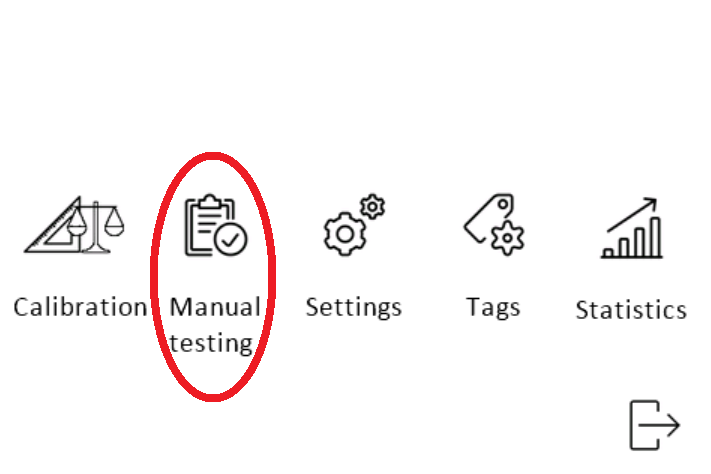
- Enter the manual testing menu.
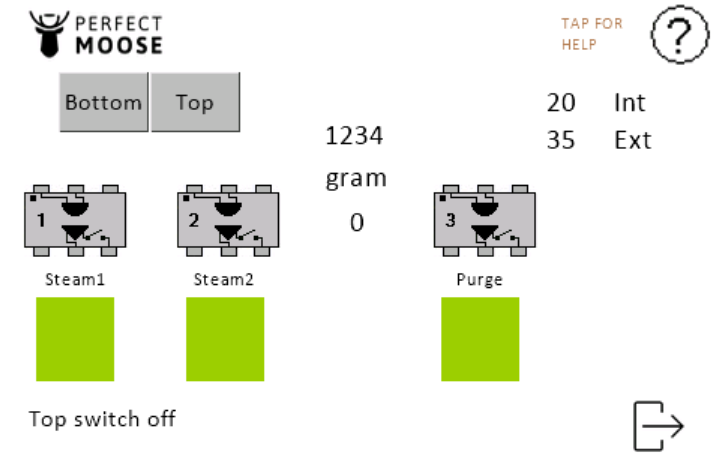
STEAM WAND:
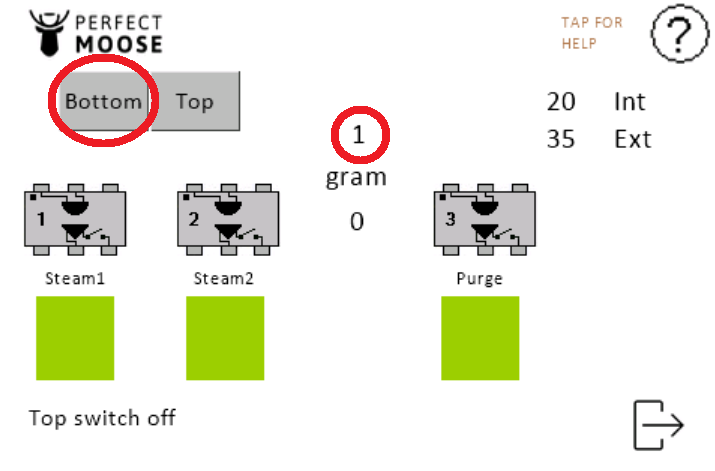
Tap the bottom button.
The steam wand will move automatically downwards until it touches the pitcher holder. The step counter reads 1.
Calibrate the steam wand when the steam wand doesn't stop at the pitcher holder surface.
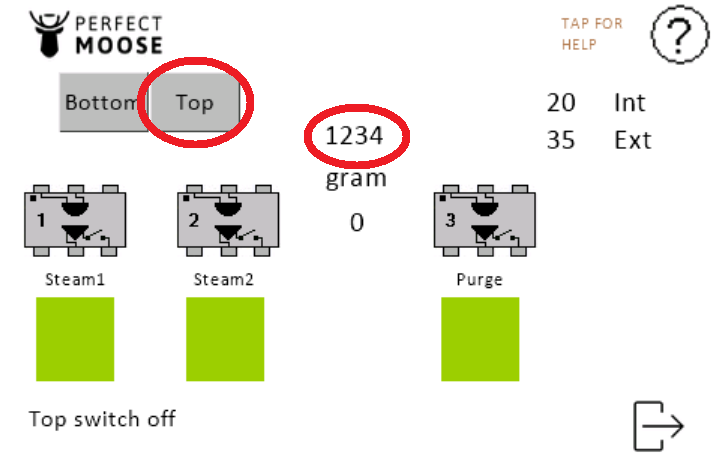
- Tap the top button.
- The steam wand will move automatically upwards until it touches the limit switch. Check the number of steps shown on the touchscreen, as this number indicates the number of steps between the limit switch and the pitcher holder.
LOAD CELL:
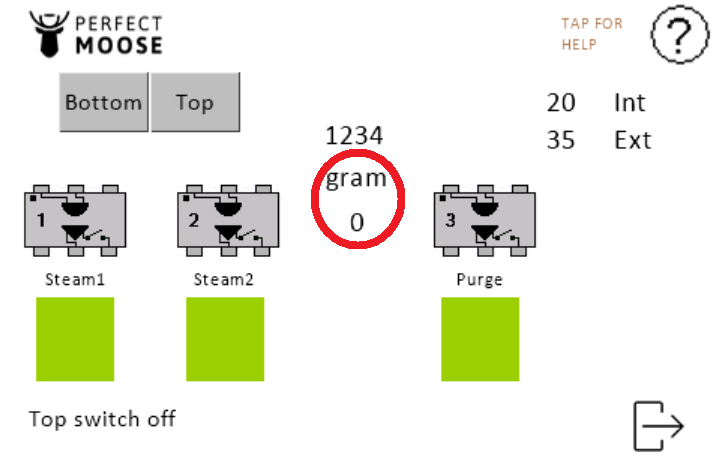
Make sure the pitcher holder is empty. Confirm that the load cell reading is 0.
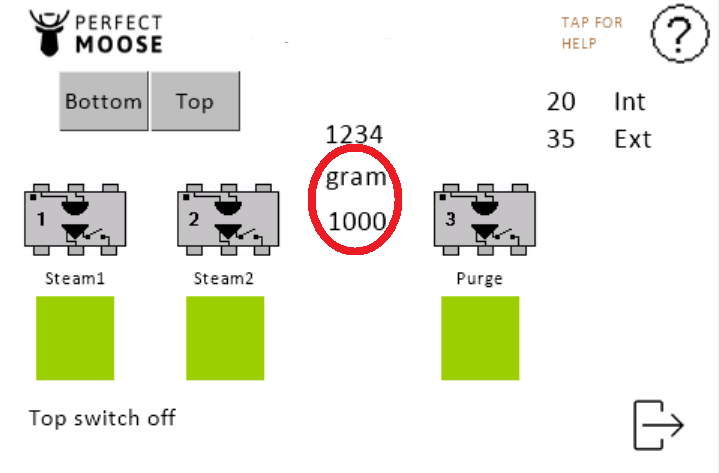
Place the 1 kg calibration weight on the pitcher holder. Confirm that the load cell reading is 1000.
Remove the calibration weight. Confirm that the load cell reading returns to 0.
Calibrate the load cell if any reading differs from the expected value.
 |  |
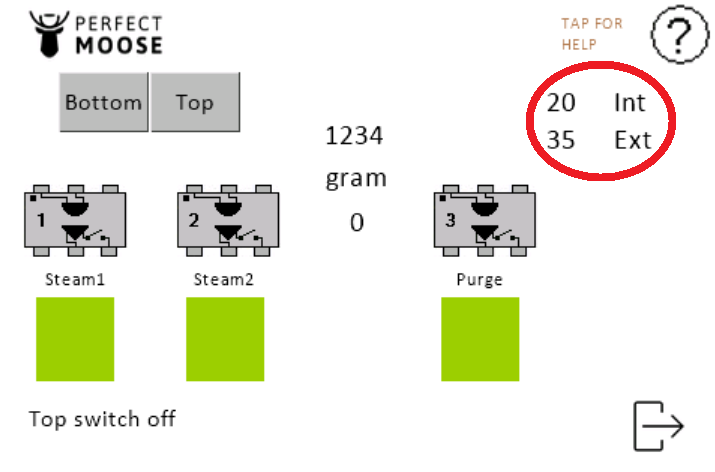
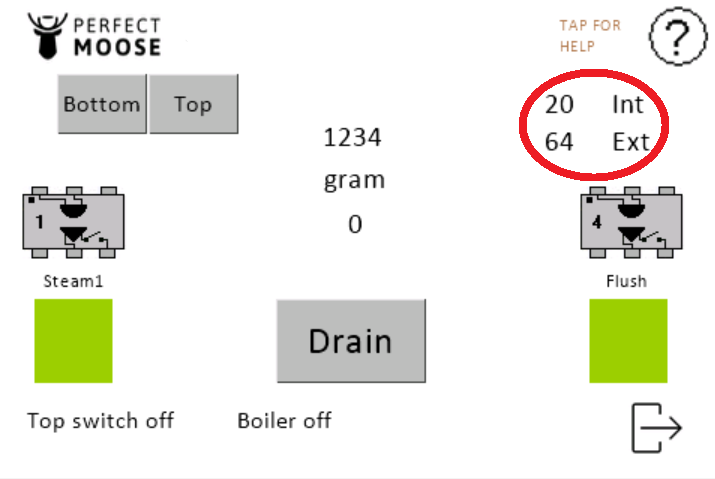
Check the internal and external temperature readings on the touchscreen.
Gently cover the temperature sensor with your finger. Confirm that the external temperature reading changes.
 |  |
PURGE VALVE:
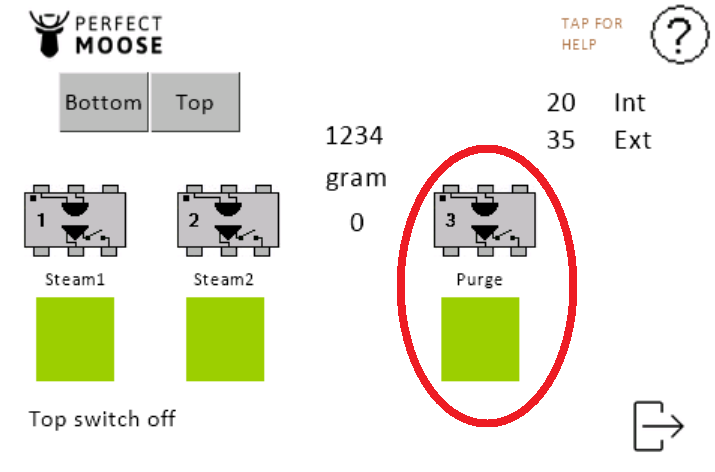
Tap Purge. Confirm that condensation water and steam flow into the drain hose.
Tap Purge again to close the purge valve. Confirm that the purge valve closes immediately.
STEAM VALVE:
Cover the steam wand with a Moose hanky.
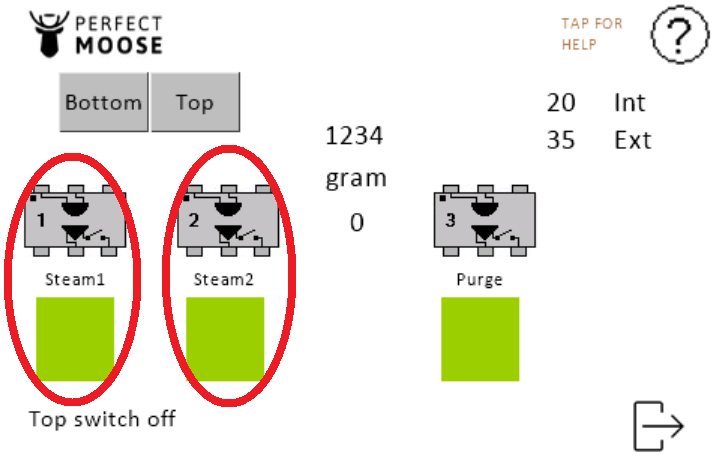
Tap Steam1 to open the steam valve. Confirm that the steam inlet valve opens immediately.
WARNING: Hot steam can escape from the steam wand.Tap Steam1 again to close the steam valve. Confirm that the steam valve closes immediately.
- Tap Steam2 to open the steam valve. Confirm that the steam inlet valve opens immediately.
WARNING: Hot steam can escape from the steam wand. - Tap Steam2 again to close the steam valve. Confirm that the steam valve closes immediately.
LIMIT SWITCH:
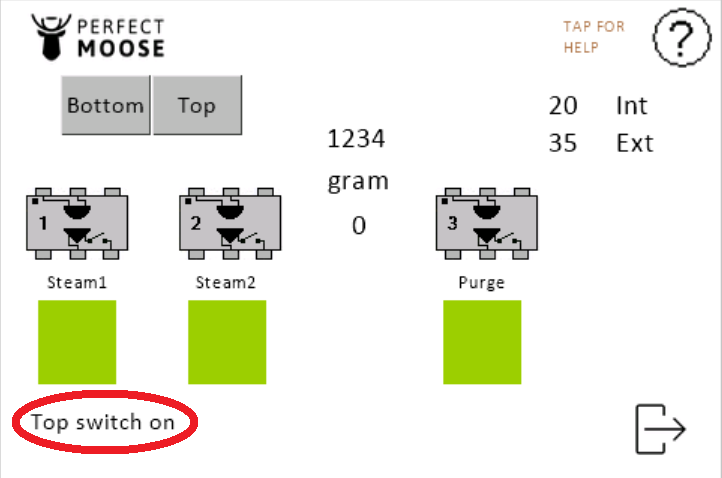
Raise the steam wand by hand until it touches the limit switch. Confirm that the touchscreen shows Top switch on.
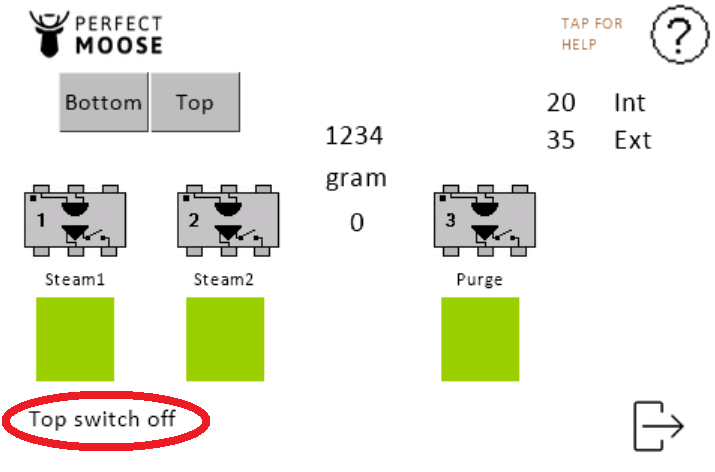
Release the steam wand. Confirm that the touchscreen shows Top switch off.
 |  |
Exit to the service menu.